 Command Desk
Deadlines decide the order
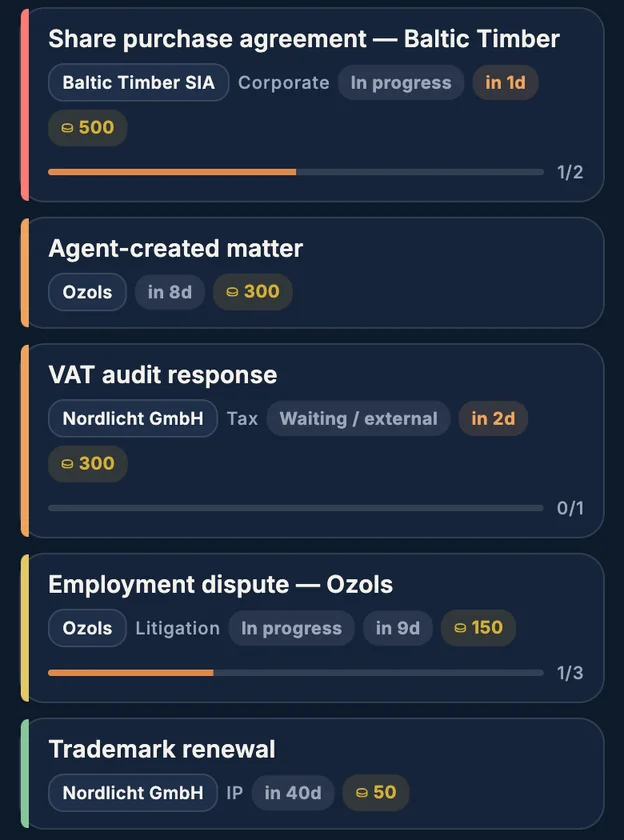
Sort by deadline, urgency or most recent. The critical matter is always the first thing you see.
A private tracker for client matters, deadlines and to-dos. Encrypted on your device. No account, no ads, no tracking.

Every matter with its client, its deadline and its to-dos. The one due tomorrow sits on top, marked in red.

Unlimited matters, clients and to-dos. No trial clock, no feature counter.
Sort by deadline, urgency or most recent. The critical matter is always the first thing you see.
Each client folds into one line with its open to-dos and the next deadline.
Put a bounty on a matter and collect it when you close it. Ranks run from Stowaway to Legend of the Tides.
Send a file, link or note from any app straight to the right matter.
No connection needed. Your data lives on your device.
Unlock with biometrics. The passphrase stays in the secure element.
Built for people who cannot put client work into someone else's cloud.
AES-256-GCM
Every matter, note and time entry is encrypted at rest on your device.
Argon2id
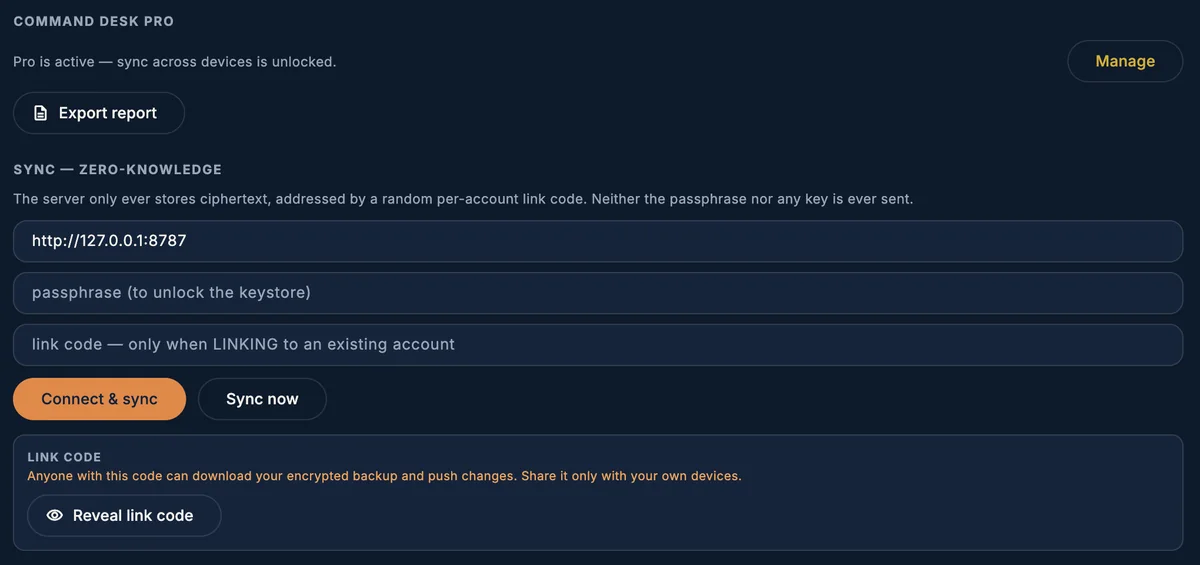
The key is derived from your passphrase. The passphrase is never stored in plain text.
Ciphertext only
With sync on, the server stores encrypted records under a random code. It cannot read them.
One recovery code
Lose the passphrase and the recovery code, and the data is gone. That is the design.
A yearly subscription or a one-time lifetime unlock. It pays for the sync server.
Command Desk is coming soon to Google Play. Write to us if you would like to test it before launch.
Request early access